Guide to Unique Service Features
This page contains essential information about Smmurf's unique features
All of this is already available to use. Our service is already much more functional and convenient than any other website offering social media and platform boosting services
We are not going to stop at what we have achieved, we have many more plans, development is ongoing every day. We will update this page immediately when new features appear
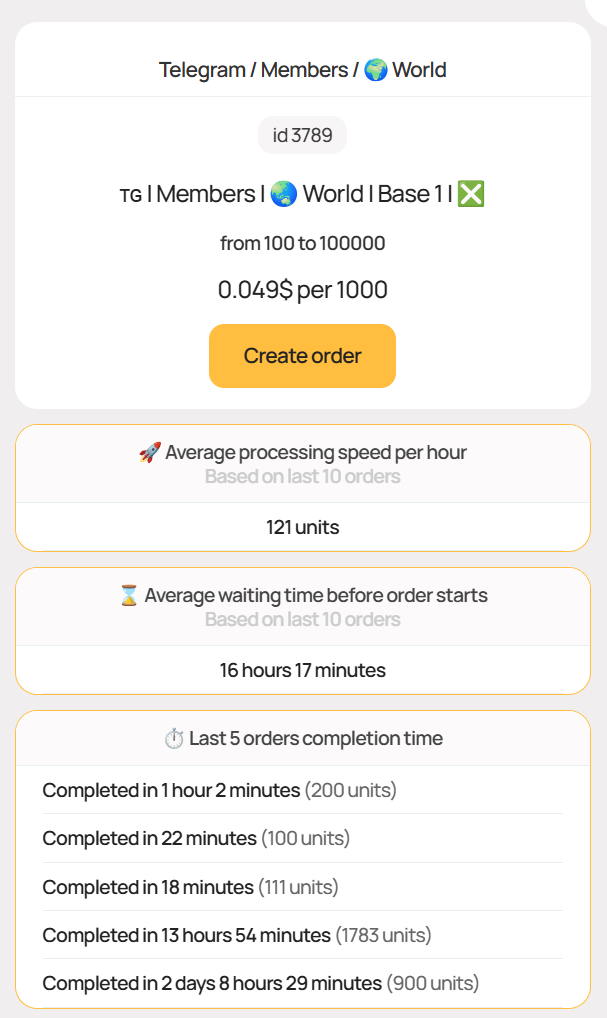
Transparent Statistics
It is often critically important to know how a particular service will actually be performed. We understand this, which is why our users see all the necessary statistical information about each service where possible, allowing them to get predictable results and most importantly - positive impressions from the order. We provide data such as:
We collect statistics from all services and always show all the above information if the service statistics are sufficiently current
Statistical data may not be available:
- on new services initially
- on some unpopular services
- on special services that are performed manually
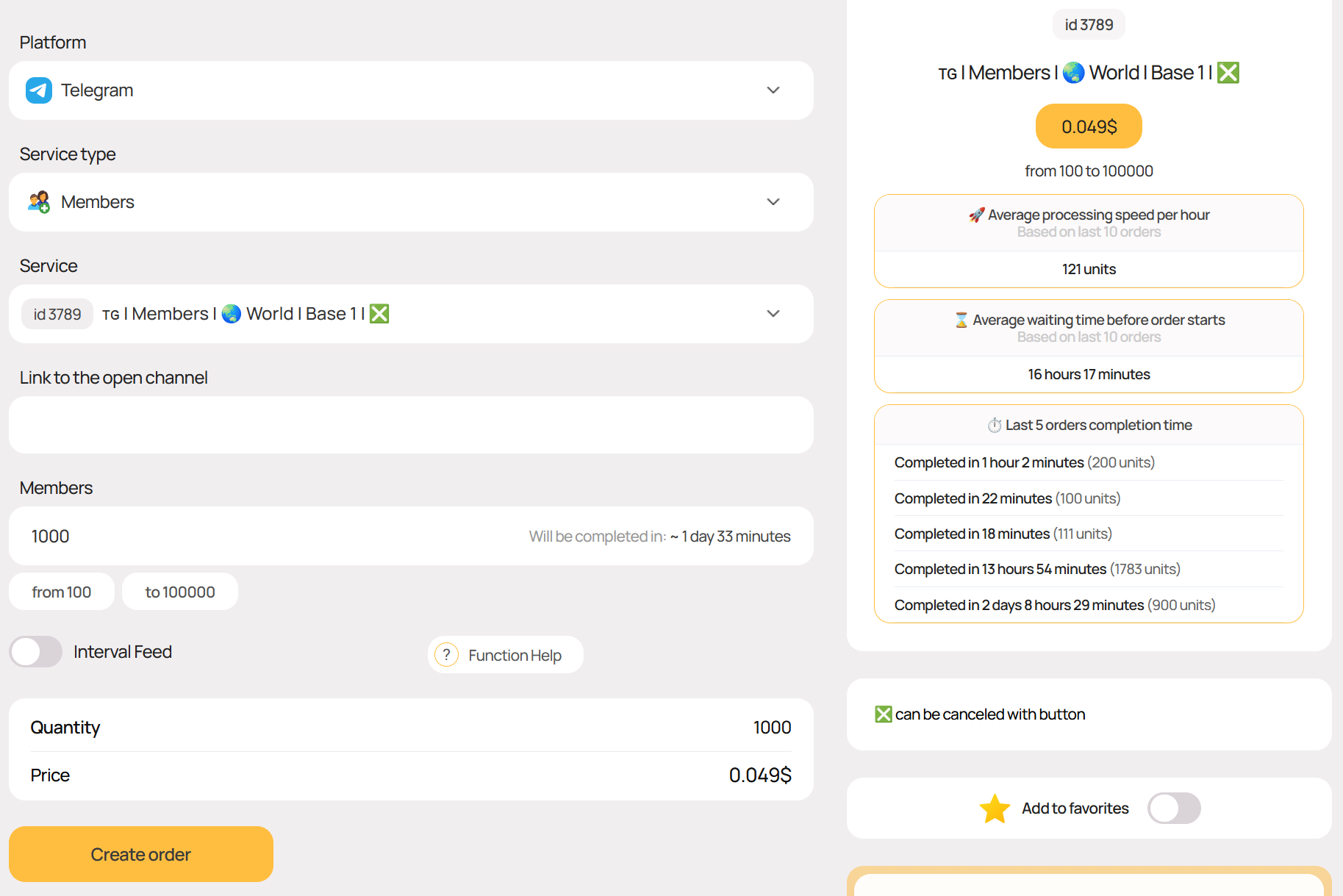
Completion Time
When entering data in the quantity field, our system will automatically calculate the estimated completion time for your order if current statistics are available for the service
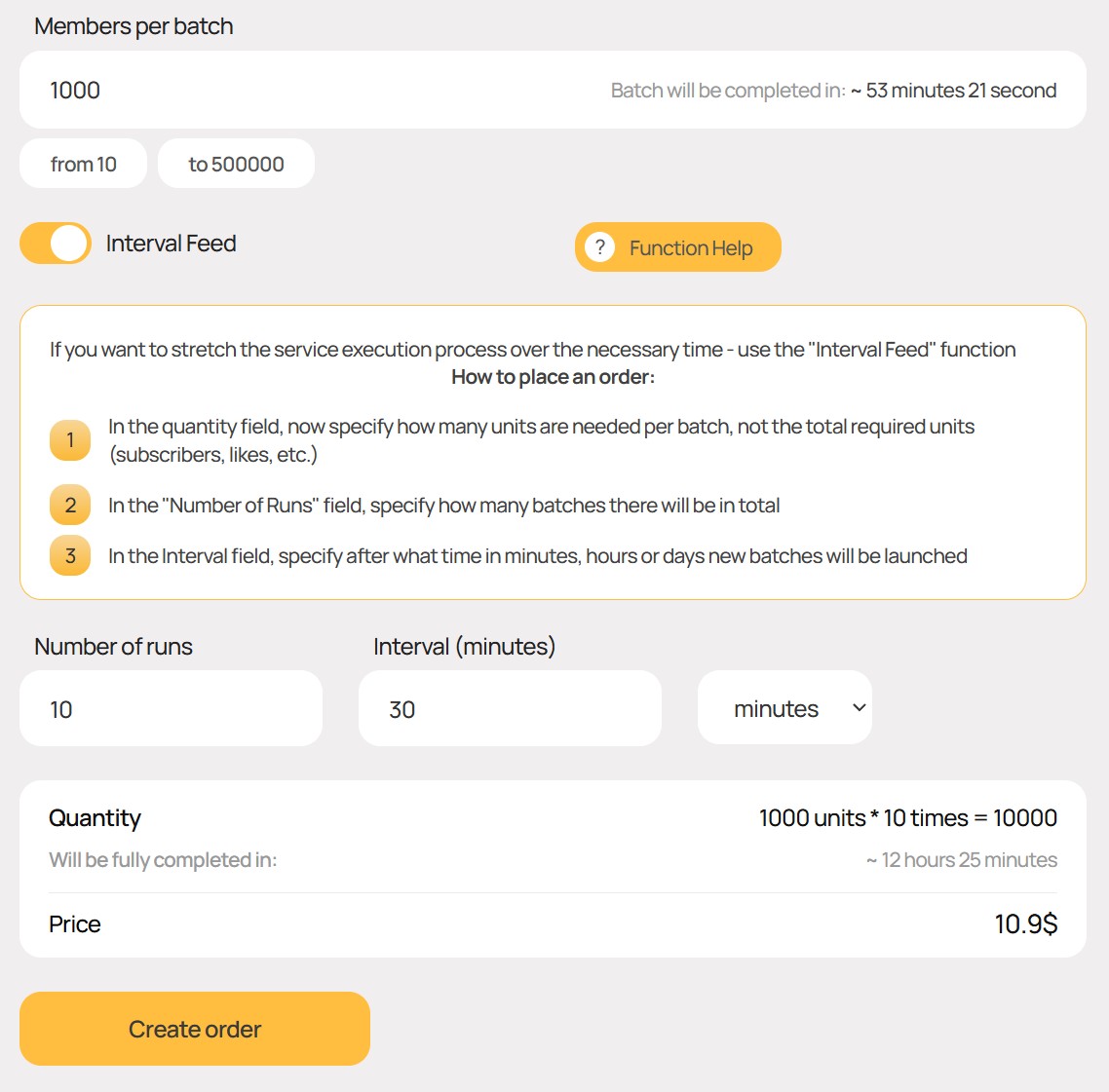
"Interval Delivery" Function
Knowing the service completion speed, as well as how long the service will take to complete with a one-time order in your case, you may need to reduce this speed
The solution would be to divide your order into several smaller ones and launch them after the required amount of time
With us, you won't have to do this manually, as we have a special interval delivery function. Thanks to it, orders will be created automatically, freeing you from routine actions
When creating an order, you will be able to see how much time will be required to complete both an individual order and the entire series of orders. The interval between orders can be specified in minutes, hours, or days
Advanced Catalog
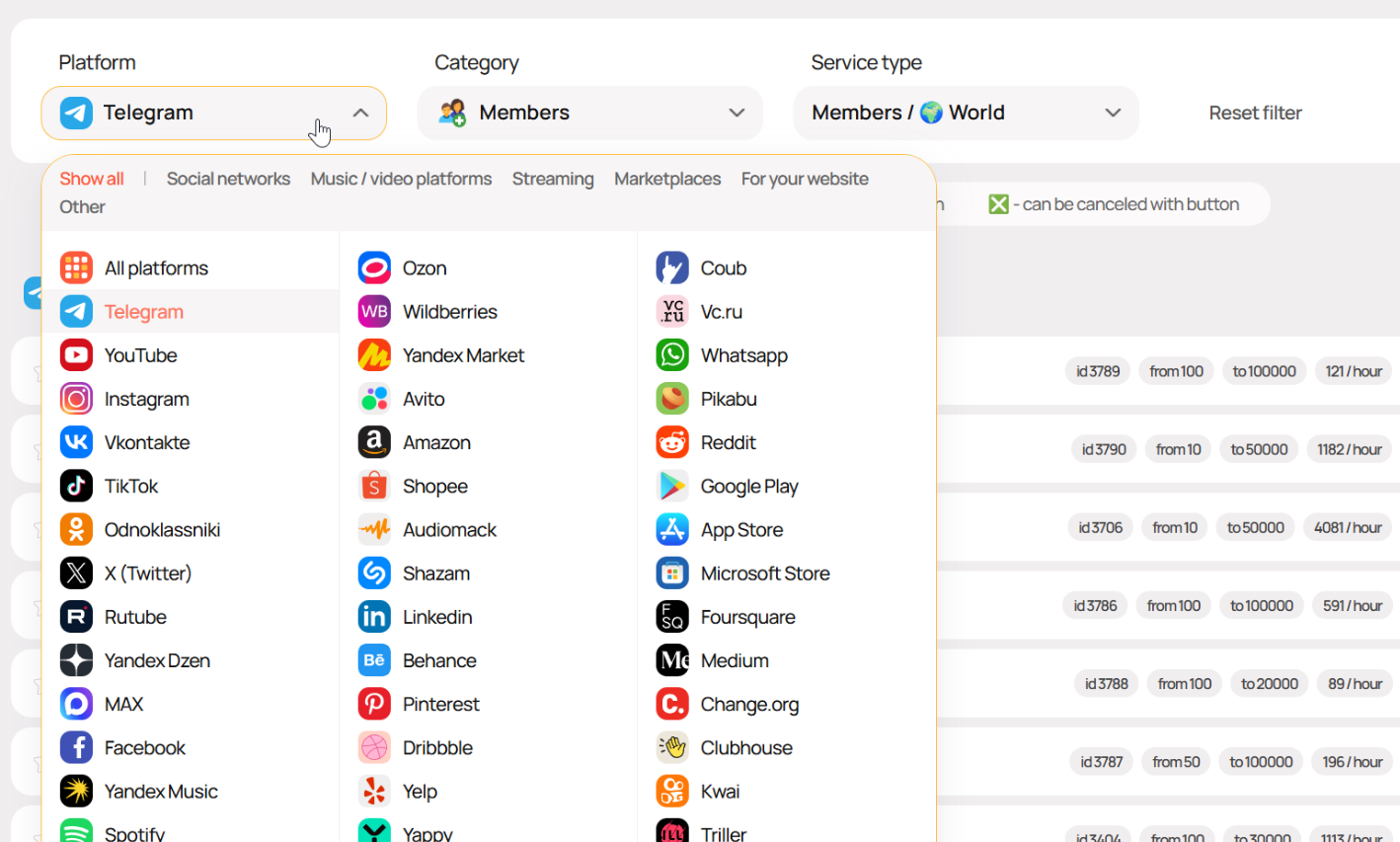
For thousands of our services, we have specially developed a convenient multi-level catalog. Every service is in its place. 100% order, 0% chaos. Select a platform, category and service type - get only the services that interest you
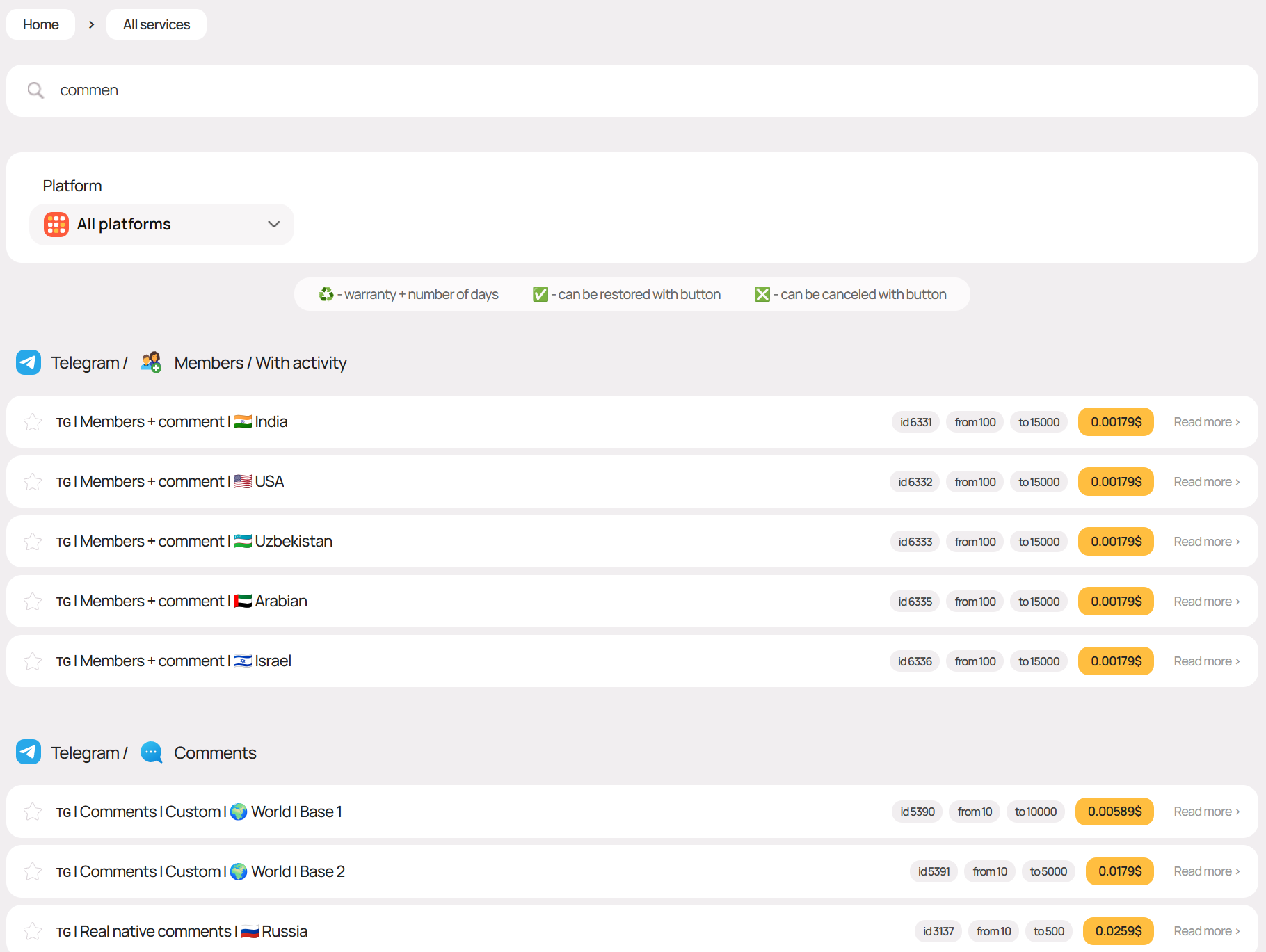
Quick Filtering on Services Page
By entering a keyword or service ID in the search field on the page with a list of all services, you can instantly filter out unnecessary results
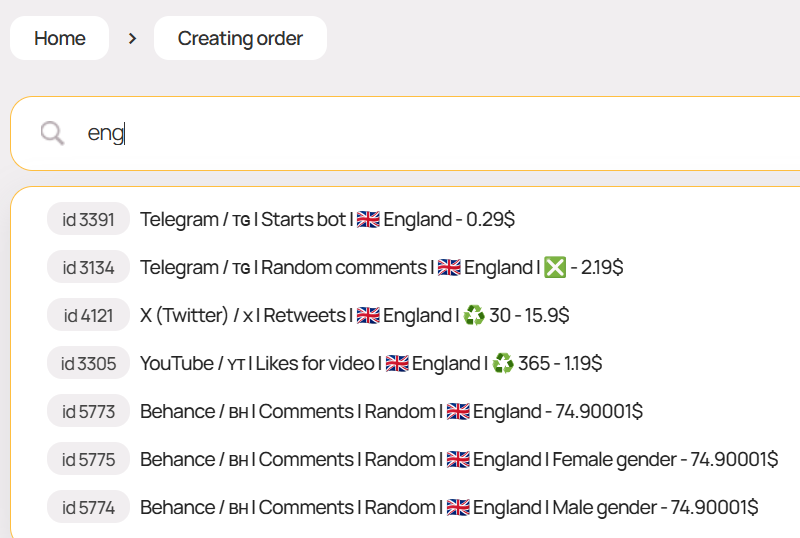
Smart Search on Order Creation Page
On the order creation page, you can quickly find the desired service by keyword from its name or by ID
"Favorites" Function for Preferred Services
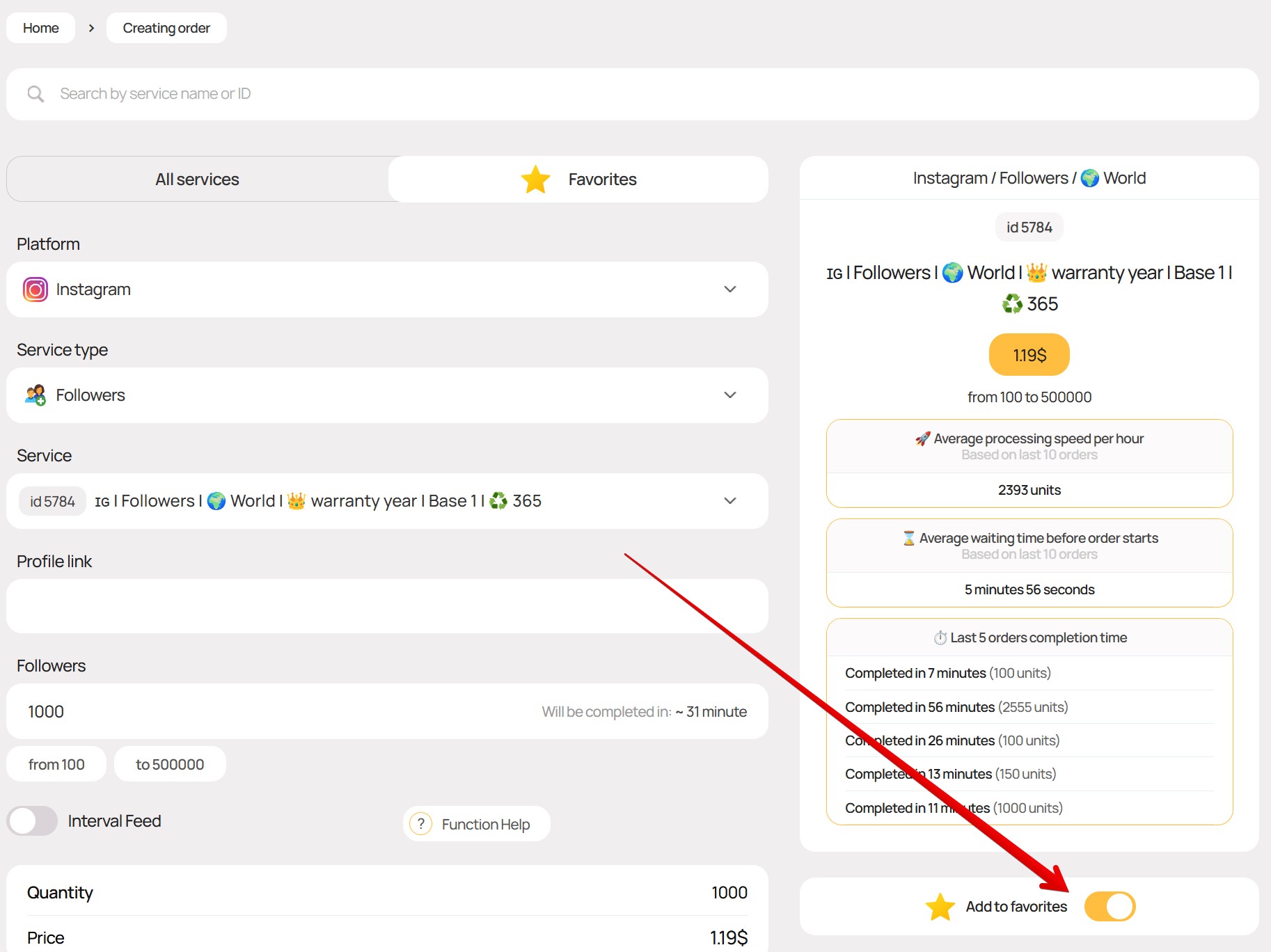
On the order creation page, you can switch to the Favorites tab, which will contain only services you have previously selected
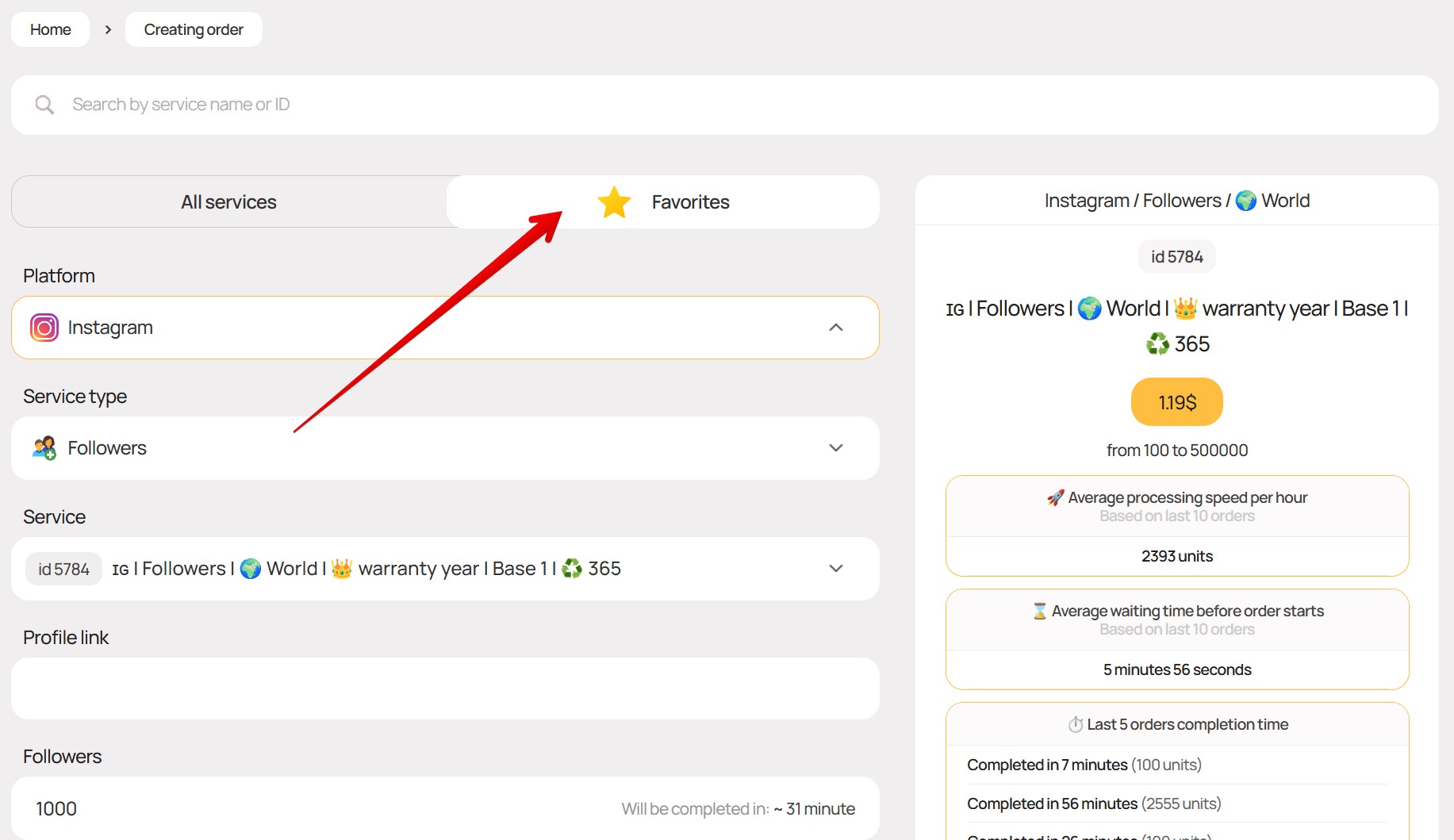
On the order creation page, you can add a service to favorites by clicking the toggle as shown in the screenshot below
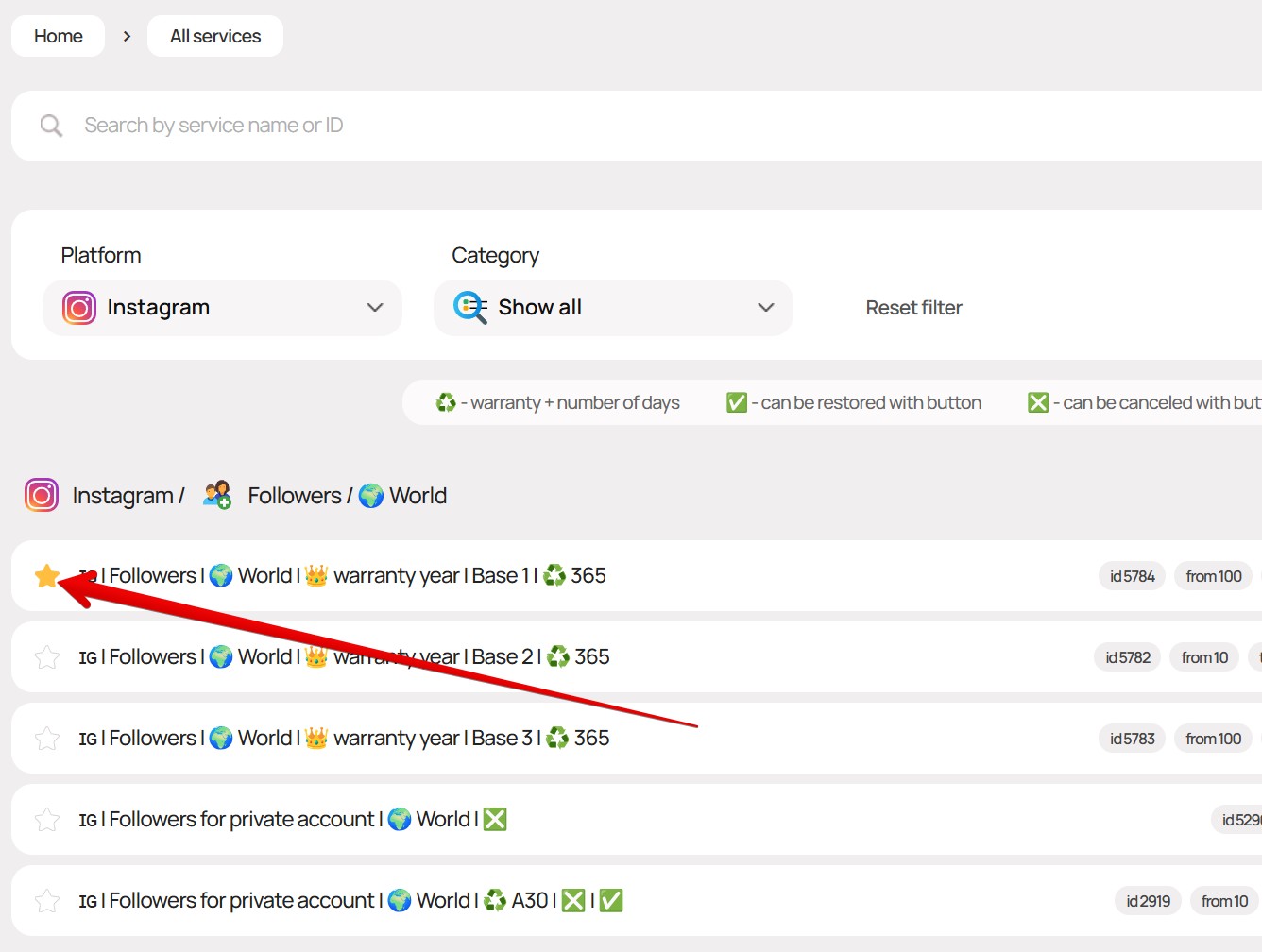
On the page with a list of all services, you can add any service to favorites by clicking the star as shown in the screenshot below
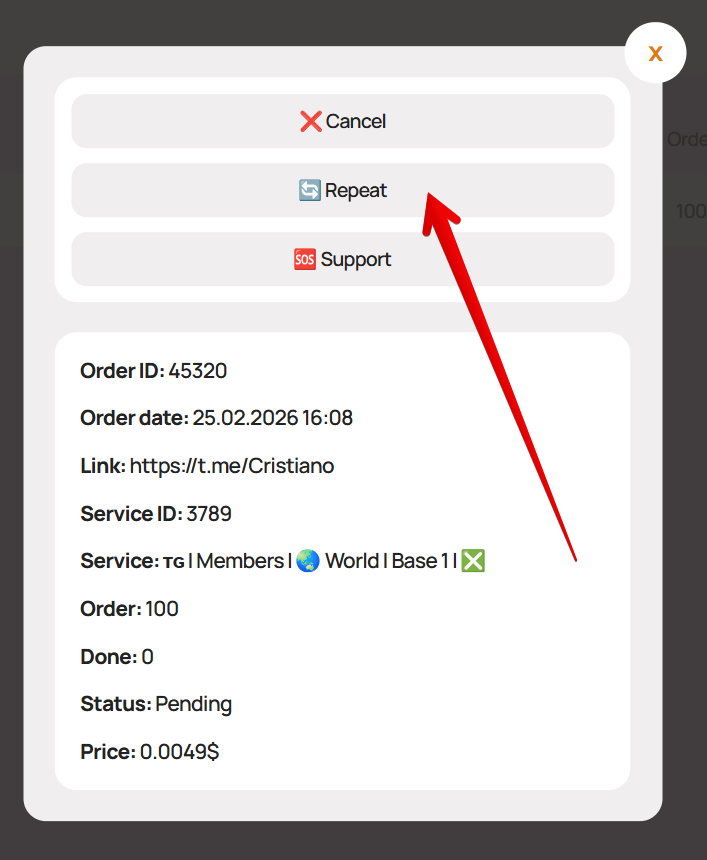
Quick Order Repeat
To quickly repeat an order - click on the order in your personal account and then click the "? Support" button
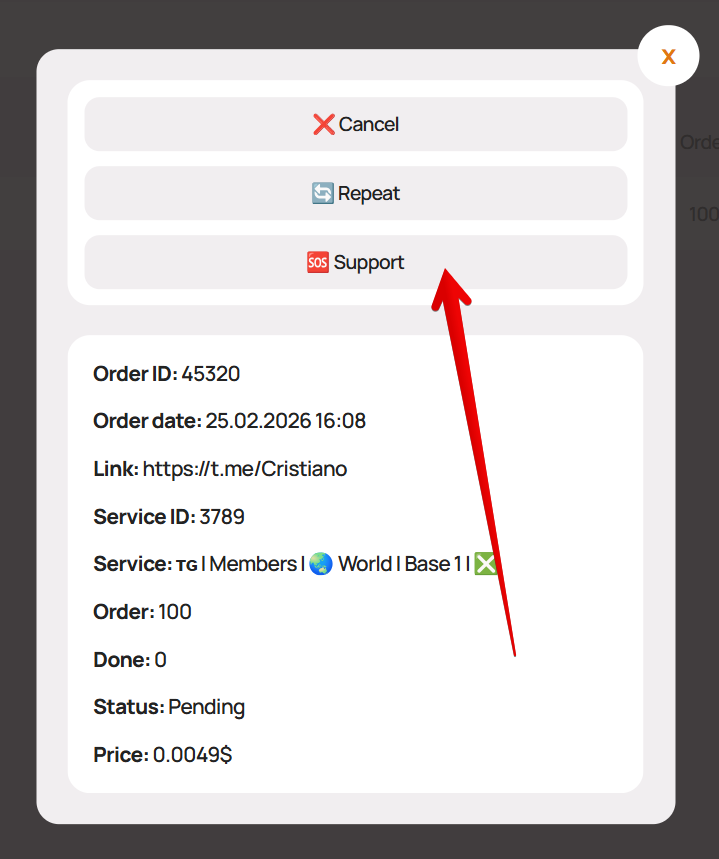
Contact Support About an Order
To contact support about an order - click on the order in your personal account and then click the "? Repeat" button
The function can be used not only to repeat the exact same order
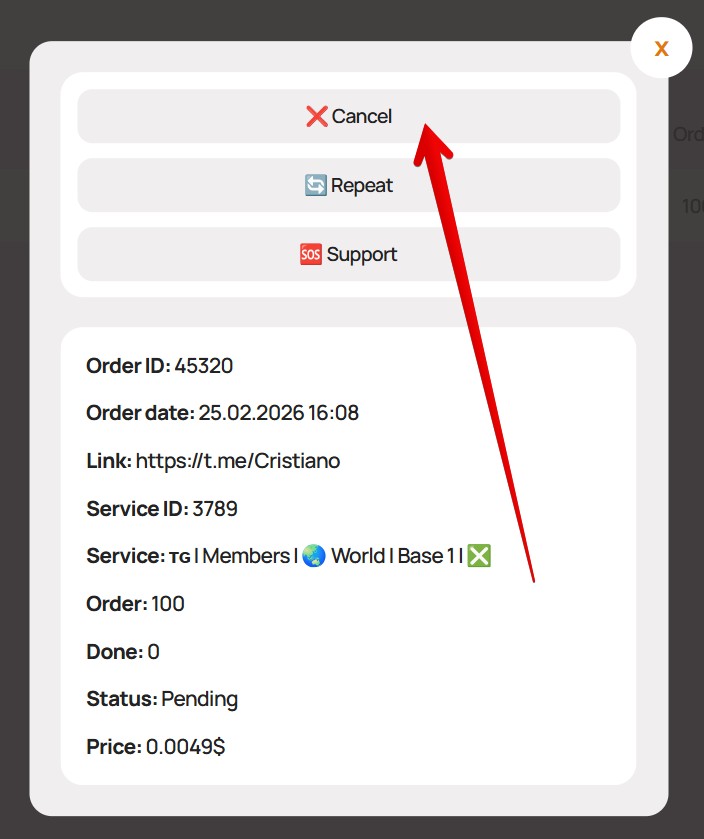
Cancel Running Order with One Click
Some services support the ability to cancel an order in "Processing" status without contacting support
Such services will have an ❎ icon in the name
To cancel a running order for such a service with a refund of the remaining funds to the balance - click on the order in your personal account and then click the "❌ Cancel" button